
August 2026
All articlesHow to Connect to the Bubble Data API with Read-Only Permissions
The Bubble API key has full permissions on every table. If you want read-only access to the Data API, you need to authenticate via a user token scoped by Privacy Rules.
Want to connect to the Bubble Data API with read-only access? The Bubble API key can't do that.
A Bubble API key has full permissions on your app, full stop. It reads, creates, edits, and deletes, on every table, bypassing Privacy Rules entirely. There is no read-only flag, and no "this table only" option, it is one key, carrying the same permissions as your app's admin access. If you are handing that key to a third-party tool, or even generating it for your own use, that is a lot of blast radius for something that might only ever need to read data.
What you need instead is a Bubble user token: authenticate as a dedicated user, and let Privacy Rules scope exactly what that user, and therefore the token, can see.
This is how we do it at unbub.dev.
Why the API key can't be scoped
The Bubble API key authenticates at the app level. Bubble does not have a concept of a "read-only API key" or a "this table only" API key, it is one key, and it carries the same permissions as the app's admin access.
Privacy Rules, on the other hand, are exactly Bubble's mechanism for scoping access, per table, per field, per user. The catch is that Privacy Rules only apply to requests made as a user. An API key request does not go through them at all.
So if you want the Data API to respect Privacy Rules, the request needs to be authenticated as a Bubble user, not as the app.
The alternative: authenticate as a user
The pattern is:
- Create a dedicated Bubble user, just for this integration. Not your own admin account.
- Give that user a way to be identified in a Privacy Rule (more on this below).
- Write Privacy Rules for that user, granting exactly the access you want it to have, read-only, on specific tables, whatever fits.
- Authenticate as that user through a backend workflow, and get back a user token.
- Use that token, instead of the API key, in your Data API requests.
text
GET https://your-app.bubbleapps.io/api/1.1/obj/orders
Authorization: Bearer USER_SESSION_TOKEN
From here, every request is evaluated as that specific user, under that specific user's Privacy Rules. If you only checked "Find this in searches" and "View" for that user's role, that is all the token can do. No creates, no deletes, no modifies, and no access to tables you didn't grant.
Getting the token
Before any of that means anything, you need the mechanism that lets you log in as that user and get a token back. Bubble does not hand out user tokens through the Data API itself, you get one by authenticating through a workflow.
First, make sure both the Data API and the Workflow API are enabled for your app.
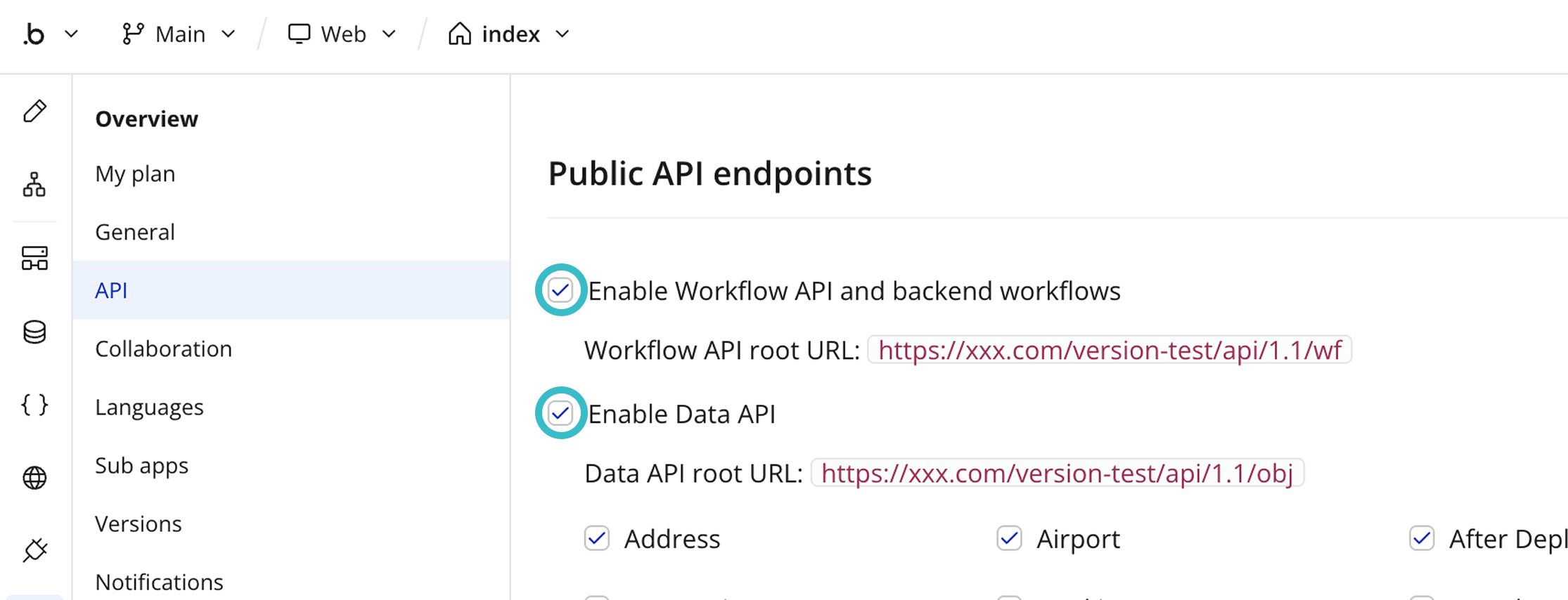
Then create a backend workflow, exposed as an API Workflow:
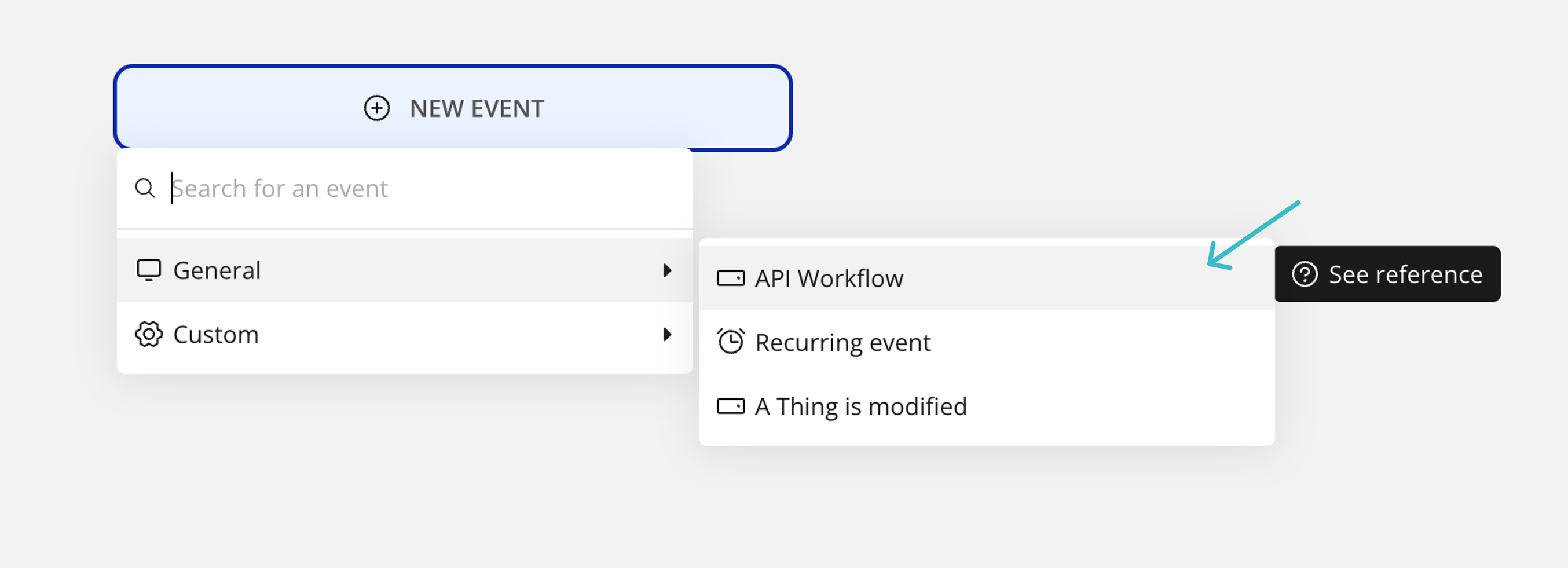
text
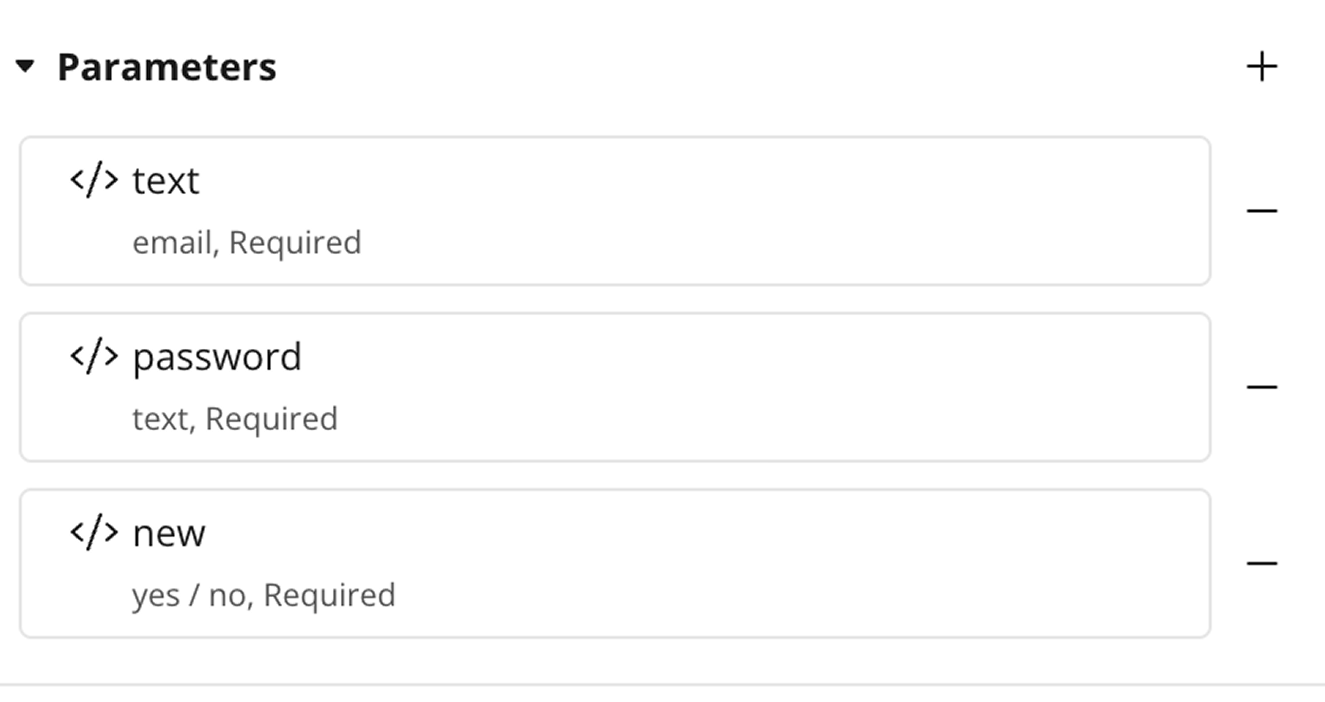
POST /api/1.1/wf/unbub-user-authGive it exactly three parameters, email, password, and new:
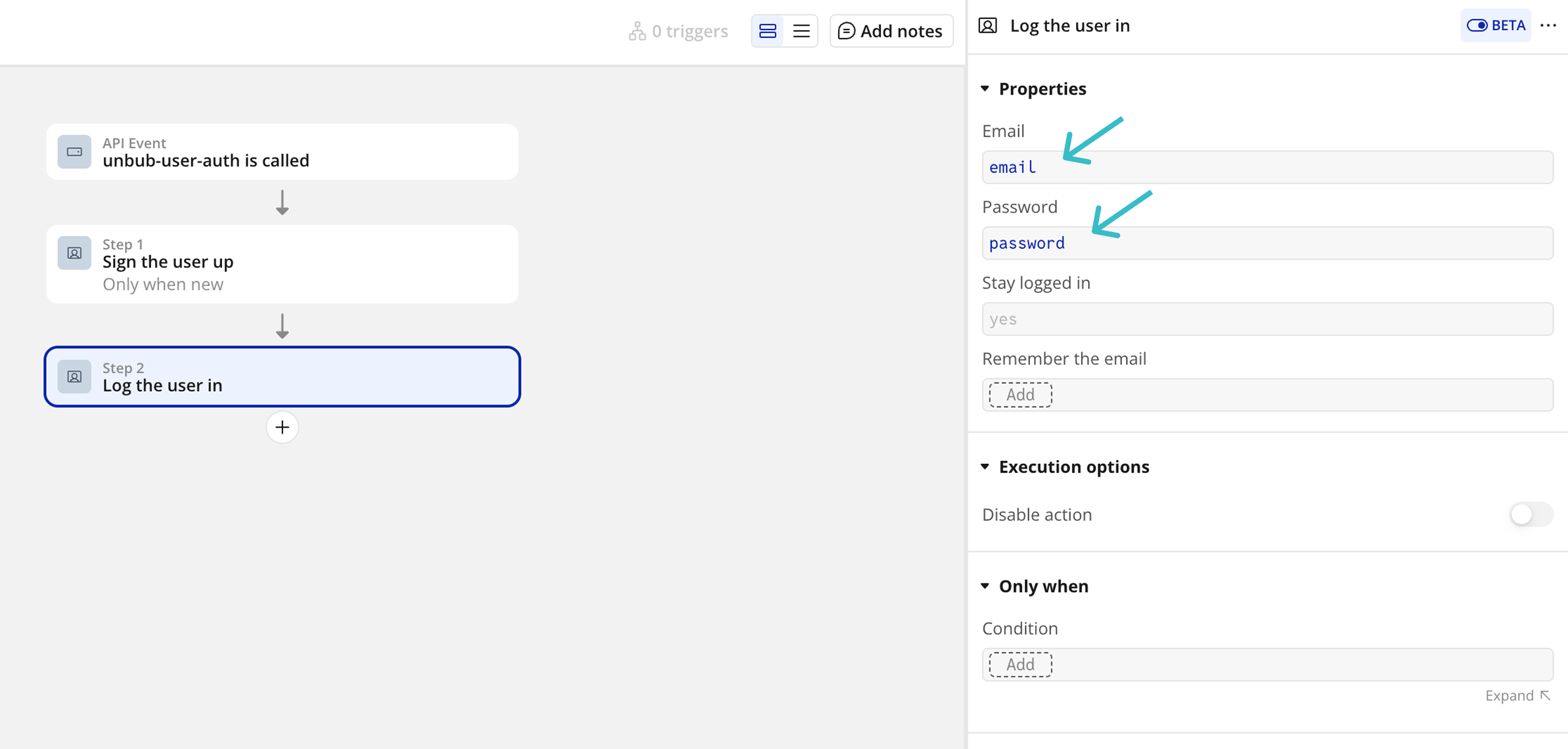
Inside, add a Sign the user up step, gated on new being true:
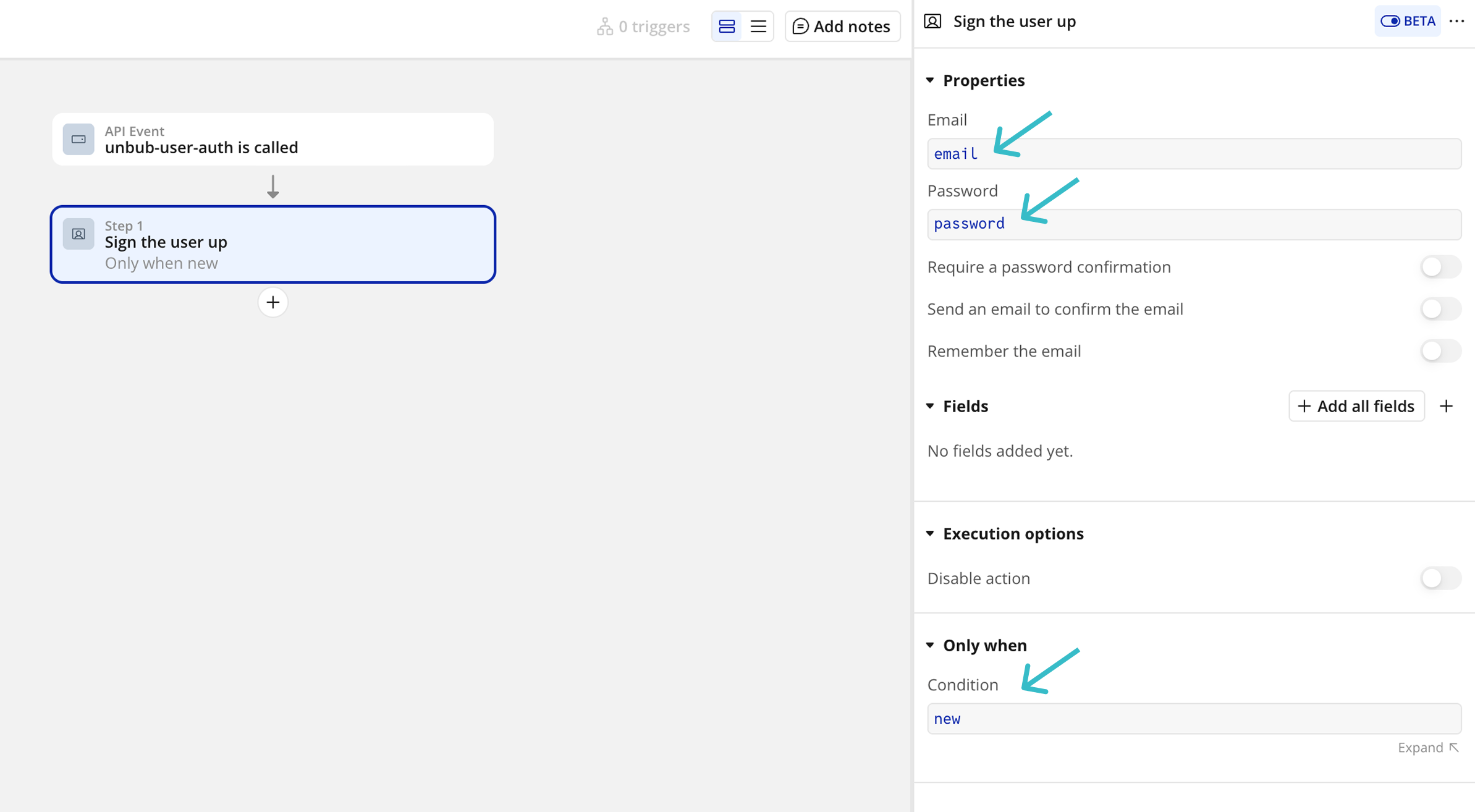
followed by a Log the user in step, which returns the token:
json
{
  "status": "success",
  "response": {
    "token": "..."
  }
}
That token goes straight into the Authorization header of every subsequent Data API call, and every one of those calls is now scoped by whatever Privacy Rules apply to that user.
The one problem: Bubble Privacy Rules can't specify a user through email or unique ID
Here is the part that trips people up. You cannot write a Privacy Rule that says "if this is the integration user, grant access." Bubble Privacy Rules can only condition on fields of the Current User, not on their email or unique ID directly.
So identifying the user has to be modeled as data first.
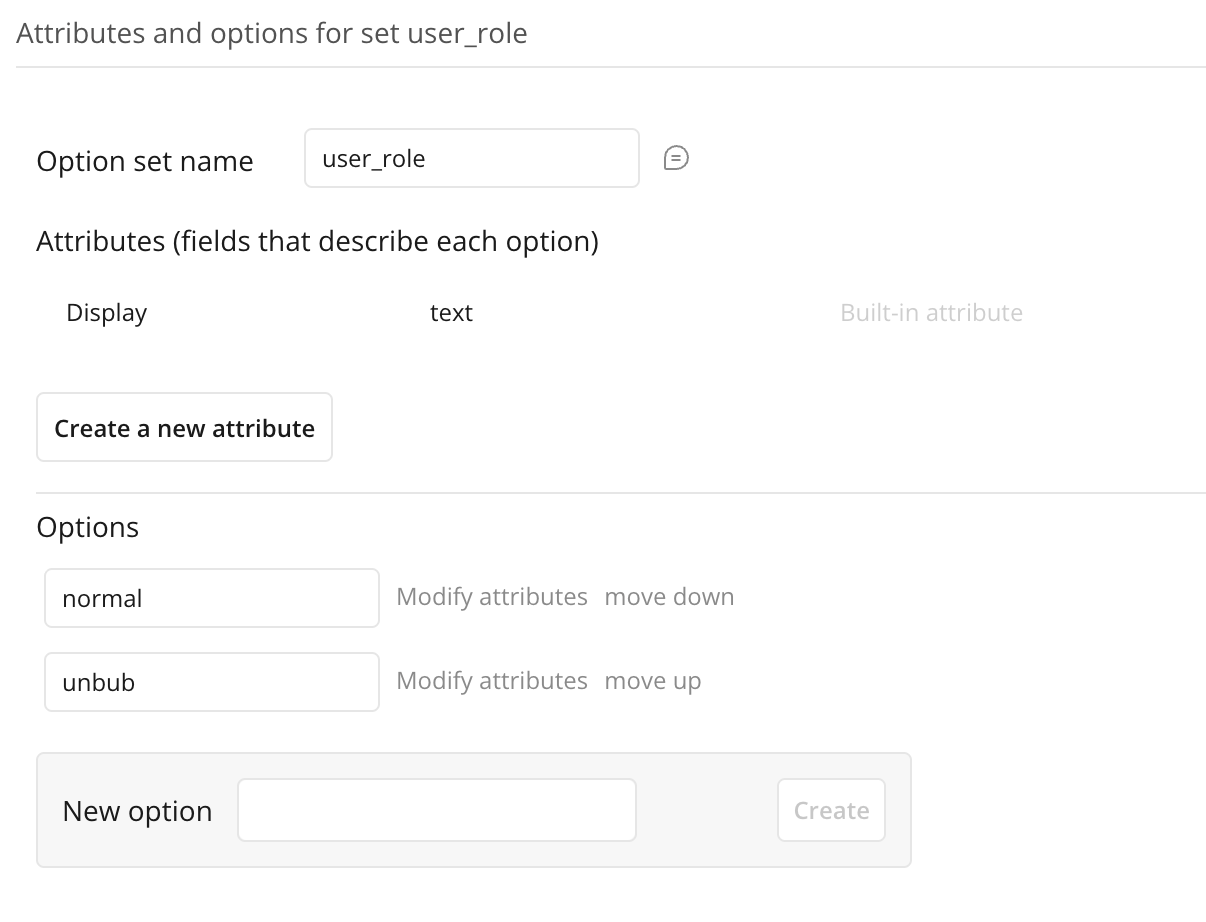
1. Create an option set for the role
Go to Data → Option sets and create one, we called ours user_role, with an option for the integration user, we called ours unbub. The names don't matter, use whatever fits your app.
2. Add a field of that type to your User type
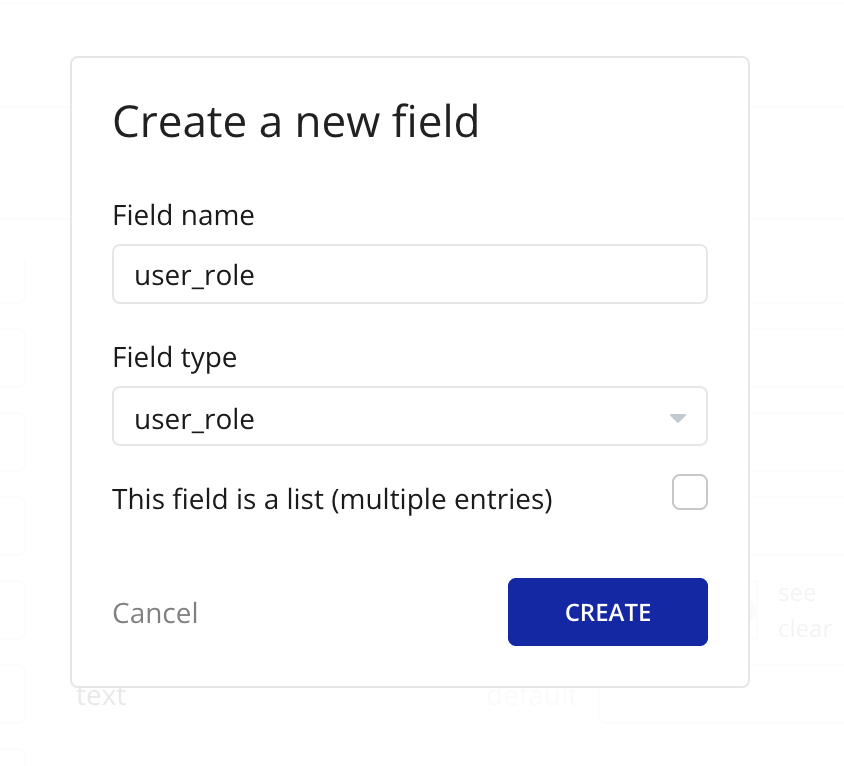
Go to Data → Data types → User → Create a new field, and give it the option set type you just created.
3. Set that field on the dedicated user
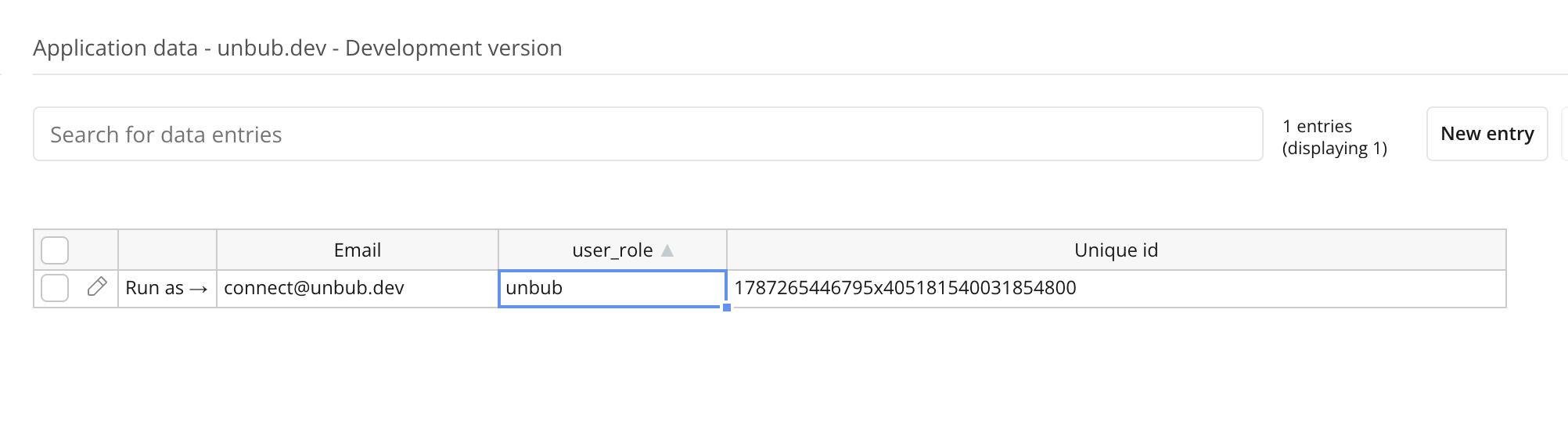
Go to Data → App Data → Users, find the dedicated integration user, and set the field directly in the table, the same way you'd edit any other cell.
4. Write the Privacy Rule
Now, and only now, can the rule reference that field. Go to Data → Privacy, pick a table, and add a New rule conditioned on Current User's user_role is unbub.
Which boxes you tick is entirely up to you. If you want read-only, tick only Find this in searches and View, and leave create, delete, and modify off.
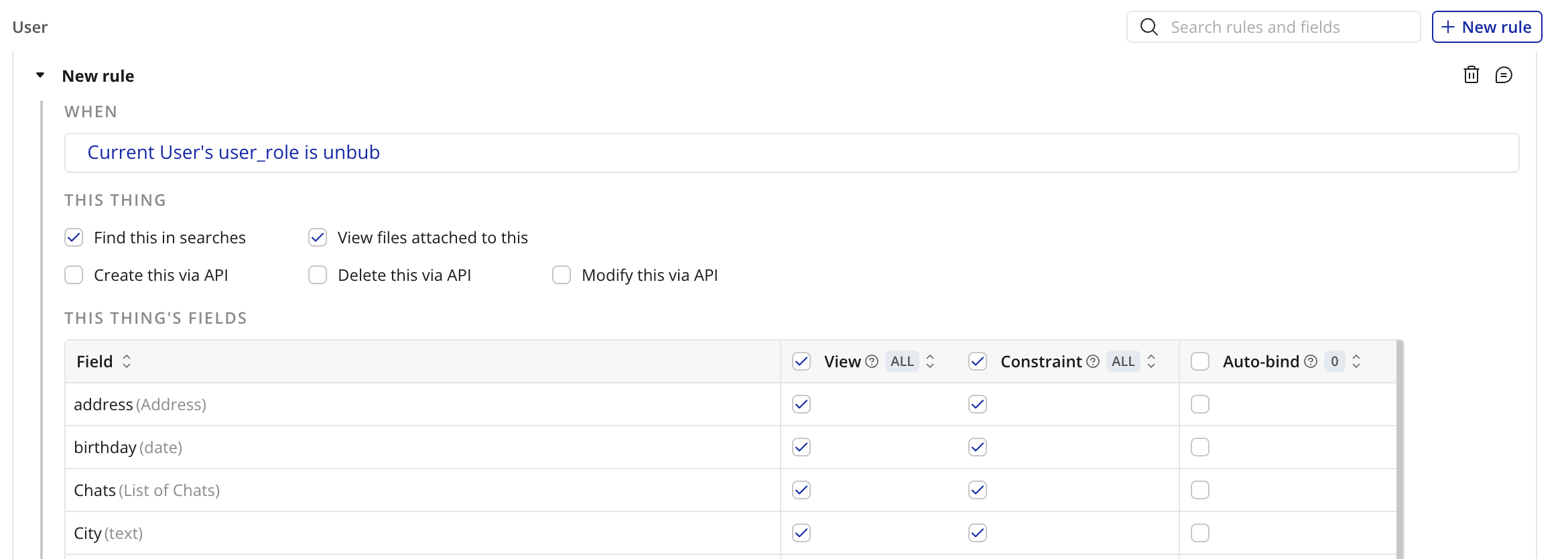
Repeat this per table. Whatever you don't cover with a rule that includes this user's role, this user won't see, unless another rule already grants it.
The takeaway
An API key is the fastest way to connect, but it is also full access, every table, every operation, no exceptions. If that's genuinely what you want, use it, it's simpler.
If you want read-only, or any access narrower than "everything," you need Privacy Rules, and Privacy Rules only apply to a request made as a user. That means: a dedicated user, a field that identifies it (since Bubble can't check email or ID directly), rules written against that field, and a workflow that logs in as that user and hands you back a token to use instead of the key.
It's more setup than pasting in an API key, but it's the difference between "this integration can do anything" and "this integration can read exactly what I said it could."
Ready to migrate off Bubble?
Self-serve tools or a done-for-you service. Your app stays live while we move everything.